> ## Documentation Index
> Fetch the complete documentation index at: https://docs.letterbucket.com/llms.txt
> Use this file to discover all available pages before exploring further.
# Welcome Email
> Learn how to set your welcome email automation
Your welcome email is often the first message a new subscriber receives, let's make it count!
You can set it up in **Audience → Welcome Emails**.
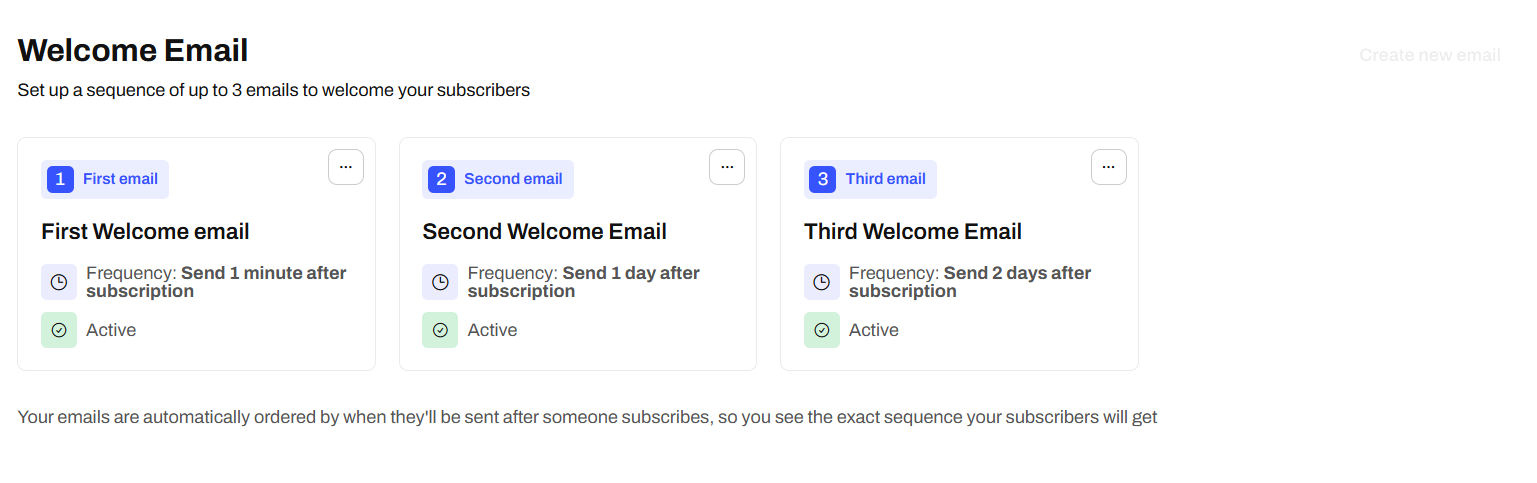 This automation triggers automatically when someone joins your newsletter, and it’s a great moment to start building a connection.
Tip: Ask a question, add a quick poll, or simply say hi to encourage interaction
## Step 1: Add your first email
Create your first email just like you’d create a regular post. Once it’s ready, click **Next** to open the **Settings** panel.
You’ll see the usual fields for **Subject** and **Preview text**, plus two extra options:
This automation triggers automatically when someone joins your newsletter, and it’s a great moment to start building a connection.
Tip: Ask a question, add a quick poll, or simply say hi to encourage interaction
## Step 1: Add your first email
Create your first email just like you’d create a regular post. Once it’s ready, click **Next** to open the **Settings** panel.
You’ll see the usual fields for **Subject** and **Preview text**, plus two extra options:
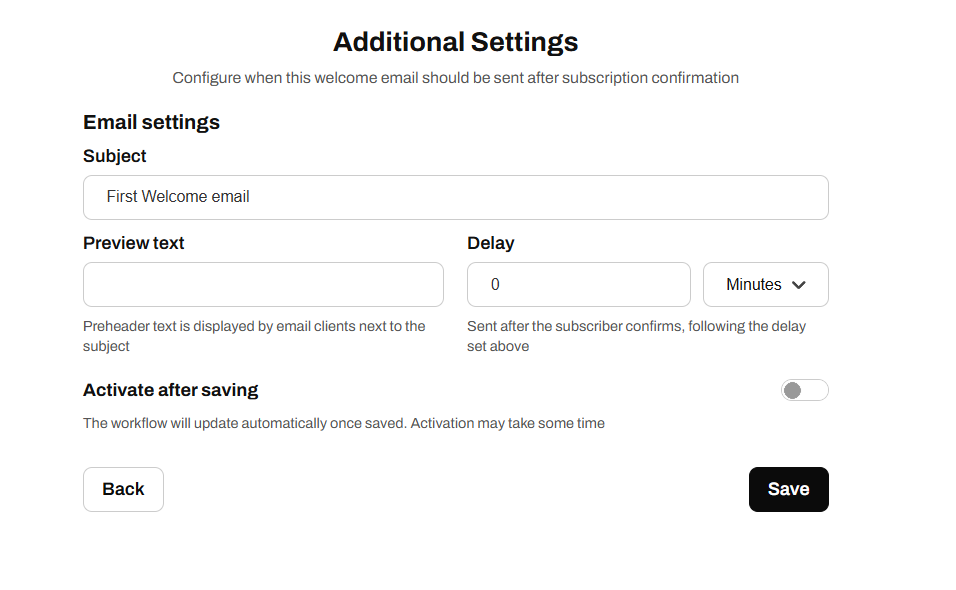 ### **Delay**
Define how long the system waits before sending the email after a new subscription. You can choose **minutes**, **hours**, or **days**.
We recommend sending it **immediately**, that’s when it’s most likely to be opened.
### **Activate after saving**
Enable this option to start sending the email automatically to every new subscriber. Turn it **On** only when you’re ready to go live.
## Step 2: Add additional emails
You can set up to **three** welcome emails in total. Sending just one is also fine.
Emails are automatically ordered by their **delay**. For example:
| Email | Delay | Sent After |
| :---- | :------- | :----------- |
| 1 | 1 minute | Subscription |
| 2 | 1 day | Subscription |
| 3 | 2 days | Subscription |
If you change any delay, the order will update automatically to reflect the order your subscribers will receive them.
### **Delay**
Define how long the system waits before sending the email after a new subscription. You can choose **minutes**, **hours**, or **days**.
We recommend sending it **immediately**, that’s when it’s most likely to be opened.
### **Activate after saving**
Enable this option to start sending the email automatically to every new subscriber. Turn it **On** only when you’re ready to go live.
## Step 2: Add additional emails
You can set up to **three** welcome emails in total. Sending just one is also fine.
Emails are automatically ordered by their **delay**. For example:
| Email | Delay | Sent After |
| :---- | :------- | :----------- |
| 1 | 1 minute | Subscription |
| 2 | 1 day | Subscription |
| 3 | 2 days | Subscription |
If you change any delay, the order will update automatically to reflect the order your subscribers will receive them.
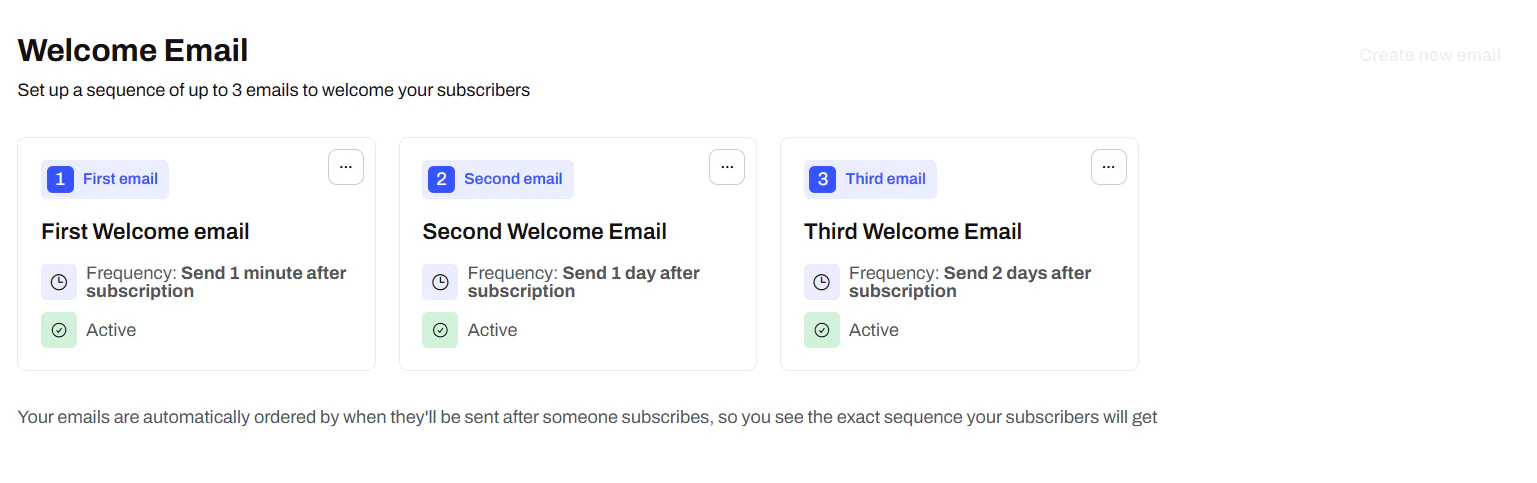 You can’t add more than three emails in a sequence. To make changes, either delete one or edit its content, it updates apply automatically once saved